Hooray, I got the $20 Eye-Fi SD Card in the mail today, just in time for the trip!
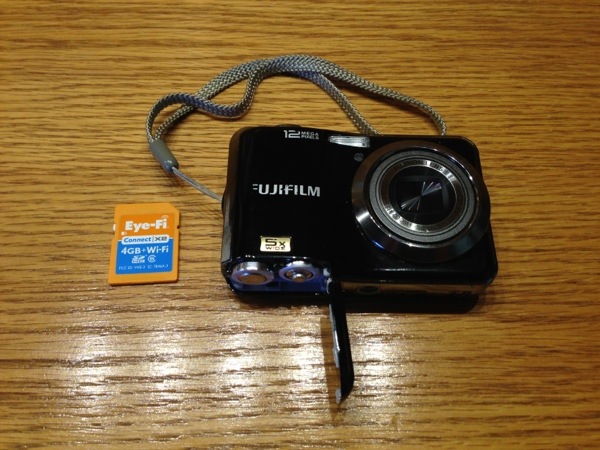
So why a Wi-Fi enabled SD card, when you can just take it out of the camera and put it in the computer? Well, I decided to leave the computer behind on this trip. Yet, I didn’t want to be a slave to using the iPhone during the day (along with its inherent distractions when I’d rather be riding…) to take photos in order to be able to post them on the blog at night. Instead, I can leave the phone off all day, exclusively use the digital camera, and then transfer the photos I want over to the iPhone, where I can then post on the blog.
The hardware is solid, but the software is a bit lacking. Setup was a pain, even for a “power user”. I had to install a program on my PC just to create an account with Eye-Fi and do the initial setup on the card (no longer needed with the newer cards, see update below), before installing the corresponding Eye-Fi app on the iPhone. But at least all I’m doing is using the card to transfer to the phone – to also transfer to the computer and/or the cloud adds complexity to the setup.
Honestly, this card is probably more trouble then it’s worth for most people, but for me it’s the Holy Grail for bicycle touring and is $20 well spent. (Though it would be SO much easier if Apple had external memory support, but that’s a gripe for another day….)
Update 1/11/14: Here are some good instructions to set up the “direct mode” to transfer the photos directly from the Eye-Fi card to the iPhone/iPad. And the new Eye-Fi Mobi cards do not need a computer for doing the initial setup on the card, finally everything can be done using the iPhone app!
 BikingBrian
Comments
4 responses to “Eye-Fi Wi-Fi SD Card Test”
Thanks for the tech review. I’m looking forward to the photos and updates.
LikeLike
My new camera has wifi built in and an iOS app for transferring photos. I wasn’t sure how often I’d use it, but it’s awesome! Love not having to transfer to a computer to share with folks. (It actually can post directly to Facebook as well.)
LikeLike
I recall some reviews which pointed out the flaky nature of the wifi software. Looking forward to how you make it work!
LikeLike
Well, this turned out to be the best $20 I spent. I could take better quality photos on my bike tour using my “good” camera, yet I could still post them on the blog from my iPhone nightly. I hesitated to recommend this card due to the complexity of setting it up, but now I would recommend their newer cards (see link above), as they can be setup directly from the phone app without the need for a computer.
LikeLike